Virtual Medical Assistant for Patient Intake:
How Clinics Reduce Front Desk Backlog

Front desk bottlenecks during patient intake cost clinics time, revenue, and staff morale. Learn how a virtual medical assistant moves intake upstream before the patient ever walks through the door.
Front desk bottlenecks during patient intake cost clinics time, revenue, and staff morale. A virtual medical assistant handles the intake workflow remotely from insurance verification and appointment scheduling to patient registration and follow-up so your in-house team can focus on the patients standing in front of them.
Why Patient Intake Creates Front Desk Bottlenecks
Walk into almost any busy clinic on a Monday morning and the scene is familiar: a line at the front desk, phones ringing, and one or two staff members trying to do six things at once.
Patient intake is the single highest-volume administrative function in a medical practice. It involves capturing demographics, verifying insurance eligibility, collecting medical history, obtaining consents, and scheduling all before the provider ever enters the room.
The problem isn't the staff. It's the workload structure.
Front desk teams are asked to greet arriving patients, answer incoming calls, process paperwork, handle billing questions, and coordinate provider communications simultaneously. When new patient intake arrives on top of that, something breaks. Patients wait longer. Details get missed. Claims get delayed because insurance wasn't verified in time.
This is the structural condition that creates front desk backlog. And it's largely preventable.
How Virtual Medical Assistants
Improve Patient Intake
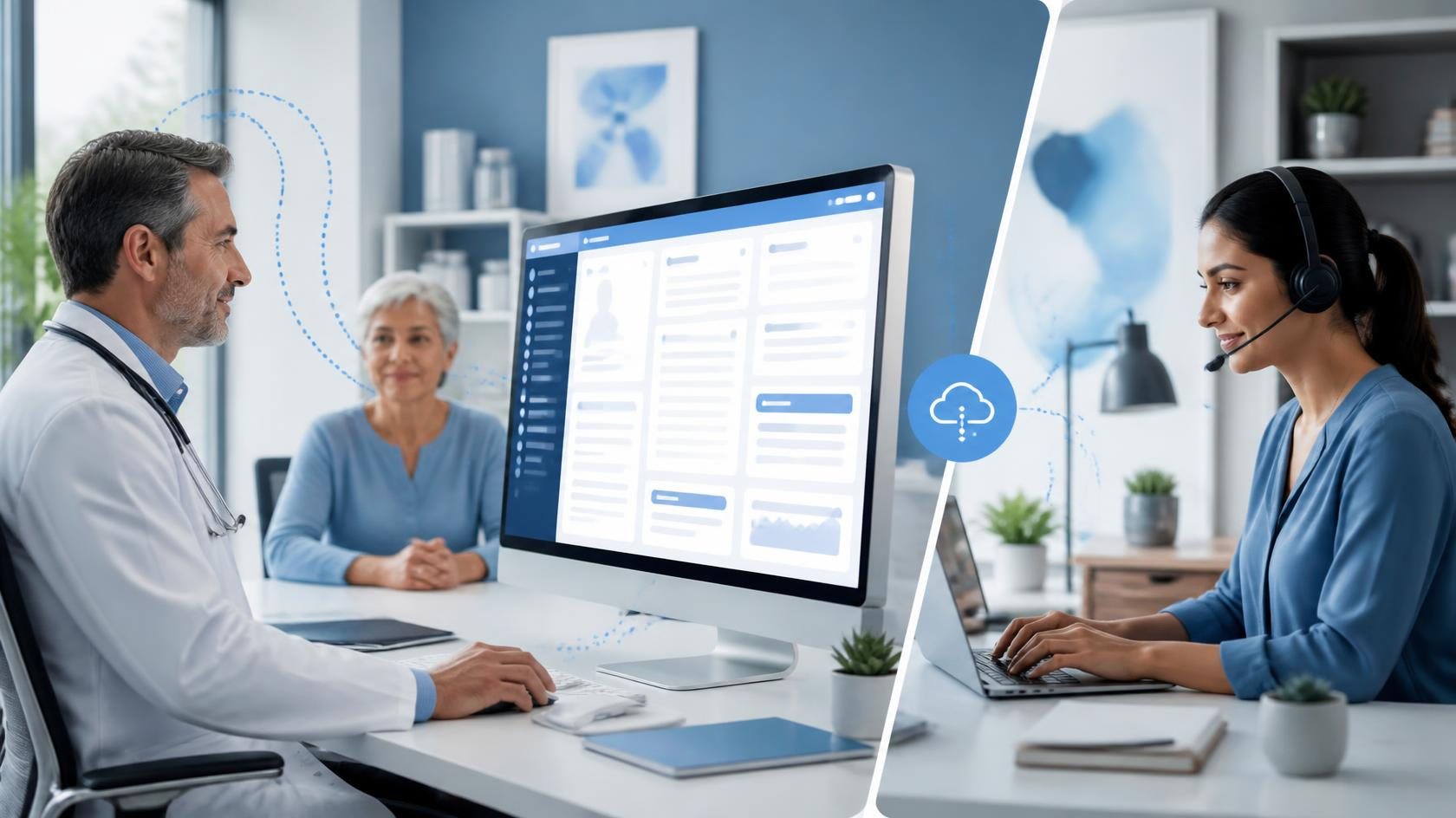
The key shift a VMA introduces is simple: intake becomes a pre-visit workflow, not a check-in scramble.
Instead of patients arriving at the front desk with paperwork to complete, a well-structured VMA intake process starts 48–72 hours before the appointment. By the time the patient walks in, their insurance has been verified, their intake forms are complete, their demographics are entered in the EHR, and their clinical history has been prepped for the provider.
This collapses the in-person check-in to under two minutes and eliminates the single biggest source of front desk congestion.
Patient Intake Workflow Comparison
See how shifting intake upstream with a Virtual Medical Assistant transforms every step of the patient journey.
| Intake Step | Traditional Front Desk | With a Virtual Medical Assistant |
|---|---|---|
| Intake Forms | Handed out at check-in, typed in later Slow | Sent digitally 72 hrs before visit, entered pre-visit ✓ Pre-Visit |
| Insurance Verification | Done morning of visit or skipped Risk | Completed 48 hrs before appointment ✓ Secure |
| Demographics Collection | Collected in-person under time pressure | Captured remotely via digital forms ✓ Digital |
| Consent Forms | Signed at the front desk | Obtained electronically before arrival ✓ E-Consent |
| Medical History Review | Provider reviews at start of visit | Pre-prepared chart note ready before exam ✓ Ready |
| Check-In Time | 10–20 minutes per patient Slow | Under 2 minutes ✓ Fast |
| Front Desk Workload | High concurrent task load Overload | Intake removed from in-office queue ✓ Cleared |
Key Responsibilities of a Virtual
Medical Assistant in Patient Intake
Patient Scheduling & Appointment Coordination
Handles inbound scheduling requests by phone, patient portal, and email confirming appointment type, duration, and provider availability. Manages scheduling gaps and follows up on no-shows.
Insurance Verification Services
Verifies active coverage, confirms patient eligibility, checks copays and deductibles, and flags coverage issues before the patient arrives preventing claim rejections downstream.
Patient Registration & EHR Documentation
Enters new patient demographics, updates existing records, reconciles duplicate entries, and uploads intake forms directly into the practice's EHR or EMR keeping charts accurate and audit-ready.
Medical History Collection
Sends structured digital intake forms capturing chief complaint, current medications, allergies, past surgical history, and family history. Completed forms are entered into the right EHR fields, with gaps flagged for provider review.
Consent Management
Electronic consent collection is completed before the visit, so consent forms aren't an afterthought handled under check-in pressure. Signed consents are stored in the chart automatically.
Patient Communication Services
Appointment reminders, pre-visit instructions, post-visit follow-up messages, and outstanding balance notifications all managed on your behalf in a consistent, professional voice.
Referral Management Services
Incoming and outgoing referrals are tracked, coordinated, and communicated to patients and receiving providers preventing the bottleneck that builds when referrals fall through the cracks.
Benefits for Clinics, Providers, and Patients
- ✓ Reduced front desk workload high-volume intake tasks removed from the in-office queue
- ✓ Lower administrative overhead vs. in-house FTEs
- ✓ Fewer scheduling errors and double-bookings
- ✓ Improved claim accuracy through pre-visit insurance verification
- ✓ Scalable support that absorbs volume spikes without new hires
- ✓ Complete clinical picture loaded in EHR before the exam begins
- ✓ Less time hunting for missing information mid-visit
- ✓ Fewer demographic errors to correct during the encounter
- ✓ Reduced after-hours administrative catch-up
- ✓ Measurable improvement in provider satisfaction
- ✓ Digital intake forms sent in advance no clipboard in the waiting room
- ✓ Faster check-in on arrival
- ✓ Better appointment reminders that reduce no-shows
- ✓ More consistent communication throughout the care cycle
- ✓ Providers who are prepared from the first minute of the visit
How Virtual Medical Assistants Support EHR Documentation
A VMA's role doesn't end with intake. Once the appointment is complete, the documentation workflow continues.
VMAs can enter structured post-visit data, update patient records with visit notes, manage medical records documentation, and ensure the chart is closed out properly. In practices that also use virtual medical scribe services or clinical documentation support, the VMA bridges the administrative and clinical documentation layers keeping the chart organized from first intake to final documentation.
For practices that rely on
medical transcription services to convert provider dictations into structured records, a VMA ensures the administrative shell of the chart is complete and ready to receive those clinical notes without gaps or mismatches.
VMAs and documentation support services serve different functions but work best together. The VMA keeps the administrative workflow clean. Documentation services whether scribe-based or transcription-based keep the clinical record accurate. Neither function works well when the other is broken.
When Should a Clinic Consider a Virtual Medical Assistant?
| Practice Scenario | Is a VMA the Right Move? |
|---|---|
| Front desk staff regularly overwhelmed during peak hours | ✅ Yes |
| High rate of insurance claim rejections due to eligibility errors | ✅ Yes |
| Providers spending time on admin before or after visits | ✅ Yes |
| Patients frequently completing forms at check-in | ✅ Yes |
| Practice adding new providers without adding support staff | ✅ Yes |
| High front desk staff turnover with costly onboarding cycles | ✅ Yes |
| Small single-provider practice with occasional overflow | ⚠️ Evaluate by volume |
| Fully staffed team with automated intake already in place | ❌ Likely not needed yet |
Traditional Front Desk vs. Virtual Medical Assistant
| Factor | Traditional Front Desk Only | With a Virtual Medical Assistant |
|---|---|---|
| Intake timing | At check-in, under time pressure | Pre-visit 48–72 hours ahead |
| Staff multitasking | High — multiple concurrent demands | Lower — in-office team freed for present patients |
| Insurance verification rate | Inconsistent under workload peaks | Consistent , scheduled pre-visit |
| Staffing cost structure | Fixed salary + benefits + turnover costs | Flexible, scalable, no in-house overhead |
| Coverage gaps (vacations, illness) | Disruptive to operations | Absorbed by VMA team |
| EHR data accuracy | Variable during high-volume periods | Structured, dedicated data entry |
| HIPAA compliance | Depends on training and protocols | HIPAA-trained , BAA-covered workflows |
| Patient wait time at check-in | 10–20 minutes | Under 2 min when intake is pre-completed |
Patient Intake Process Flow
Best Practices Checklist
- Setting Up a High-Performance VMA Intake Workflow
- Define which intake tasks are handled by the VMA vs. in-office staff from day one
- Use standardized intake form templates for each appointment type
- Set a 72-hour cutoff for digital form completion with automated follow-up reminders
- Train the VMA team on your specific EHR field structure and naming conventions
- Establish a HIPAA-compliant communication channel for all patient outreach
- Build a chart-prep checklist so providers know exactly what to expect pre-visit
- Review flagged incomplete intakes the evening before the schedule opens
- Track weekly: intake completion rate, check-in time, insurance verification accuracy
Common Mistakes Clinics Make with Virtual Medical Assistants
1. Onboarding without a workflow document
VMAs can only work within the systems and protocols you define. Practices that skip workflow documentation end up with inconsistent results especially when multiple intake tasks are involved.
2. Treating intake as a single task
Intake has at least seven distinct sub-tasks. Assigning a VMA without breaking these down leads to gaps usually in insurance verification or medical history capture.
3. Not reviewing VMA work during the first 30 days
Even experienced VMAs need a calibration period to match your practice's conventions. Weekly quality checks in the first month prevent errors from becoming habits.
4. Underestimating HIPAA requirements for remote staff
A HIPAA-compliant virtual medical assistant arrangement requires a signed Business Associate Agreement (BAA), secure communication platforms, role-based access controls, and documented access logs. Non-negotiable.
5. Mixing intake and clinical roles
VMAs handle administrative tasks. They do not interpret symptoms, make clinical judgments, or substitute for licensed clinical staff. Clarity on this boundary protects the practice and the patient.
Future Trends in Patient
Intake Automation
Emerging Now
Ambient Pre-Visit Intelligence
EHR platforms are beginning to surface predictive flags before the patient arrives, based on claims data or chronic condition patterns. VMAs will increasingly work alongside these tools to complete the intake picture.
Growing Fast
Conversational Intake Capture
AI-assisted intake tools that allow patients to complete their history through a natural language interface will reduce form abandonment rates. VMAs will review and validate the output for accuracy and completeness.
Maturing
Integrated Eligibility APIs
Real-time insurance verification through payer APIs is reducing the time cost of eligibility checks. VMAs will shift from manual verification toward exception management as these tools mature.
Accelerating
On-Demand Virtual Staffing
The staffing model is moving from long-term contracts toward flexible arrangements, with practices scaling VMA hours week-to-week based on actual patient volume without adding fixed overhead.
Key Takeaways
- Patient intake is the primary driver of front desk backlog in most U.S. medical practices.
- A virtual medical assistant shifts intake to a pre-visit workflow, reducing in-office congestion and improving chart accuracy.
- Core VMA intake tasks include insurance verification, patient registration, EHR documentation, scheduling, consent collection, and patient communication.
- A HIPAA-compliant virtual medical assistant arrangement requires a BAA, secure systems, and role-based access controls.
- VMAs complement — not replace — in-office staff and work best when paired with clinical documentation support.
- Clinics that implement VMA-supported intake typically see shorter patient wait times, fewer claim rejections, and improved provider and staff satisfaction.
Conclusion
The front desk backlog most clinics experience isn't a staffing failure it's a workflow design problem. Patient intake was never built to be handled under check-in pressure, alongside ringing phones and arriving patients. Moving it upstream, through a structured virtual medical assistant workflow, fixes the root cause rather than adding more staff to absorb the same broken process.
A skilled healthcare virtual assistant working within your EHR, following your protocols, and operating under HIPAA-compliant frameworks gives your in-house team their time back. That time flows back to the patients who need it.
If you're evaluating virtual medical assistant services for your practice, the right partner will offer HIPAA training, EHR familiarity, defined intake workflows, and clear accountability metrics from day one.
Ready to Clear Your Front Desk Backlog?
Chase Clinical Documentation provides HIPAA-compliant virtual medical assistant services built for U.S. medical practices with EHR-trained staff, scalable intake support, and zero disruption to your existing workflow.
Talk to Our Team →FAQ
What is a virtual medical assistant for patient intake?
A virtual medical assistant for patient intake is a trained remote healthcare administrative professional who manages the pre-visit workflow for medical practices. This includes sending digital intake forms, verifying insurance eligibility, registering patients in the EHR, collecting medical history, obtaining electronic consents, and preparing the chart before the provider enters the room.
How is a virtual medical assistant different from a virtual medical scribe?
These are distinct roles. A virtual medical assistant handles administrative tasks scheduling, insurance verification, patient registration, and communication. A virtual medical scribe focuses on clinical documentation, capturing the provider-patient encounter and entering structured notes into the EHR.
How quickly can a virtual medical assistant reduce front desk backlog?
With a defined workflow in place, most practices see measurable improvements within the first two to four weeks. Full optimization typically takes 30–60 days.
Can a small or single-provider practice benefit from a virtual medical assistant?
Yes, though the impact depends on patient volume. Solo and small group practices with high new-patient volume or complex insurance populations often see the strongest return on VMA support.
What tasks should a virtual medical assistant NOT handle?
VMAs are limited to non-clinical, administrative tasks. They do not interpret symptoms, provide clinical guidance, make triage decisions, or replace licensed clinical staff.
How do I know if my clinic is ready for a virtual medical assistant?
If your front desk staff regularly fall behind on intake tasks, your insurance verification is inconsistent, patients are completing forms at check-in, or you've experienced front-desk turnover without adequate backfill, your practice may be ready.
What is the difference between medical virtual assistant services and healthcare virtual staffing?
Medical virtual assistant services refer to specialized remote support focused on clinical administrative tasks. Healthcare virtual staffing is a broader category that may include VMAs, billing specialists, coding support, and other remote roles.
Recent Posts